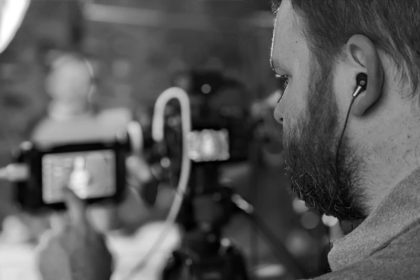

Here’s how most business videos go. Months of talking about it, one busy shoot day, a few rounds of edits, and finally the big launch. It goes on the homepage. Someone shares it on LinkedIn. A few people say nice things.
And then nothing. The video sits there, and six months later someone asks, “Should we make another video?”
The problem usually isn’t the video. It’s that nobody planned what would happen after it was finished. If you want your investment to keep working, you have to repurpose video from the start, not as an afterthought.
One shoot can feed three months
A single well-planned shoot day gives you far more than one video. When I plan a shoot, I’m planning for two kinds of finished pieces:
- One anchor video, two to three minutes long. It tells the whole story and does the heavy lifting.
- A dozen short clips, 15 to 45 seconds each. Each one is a single complete thought from the same interviews, cut for social media.
That’s 13 pieces of content from one day of your team’s time. Post one a week and you’ve covered a full quarter.
Where the anchor video belongs
The anchor video should live everywhere people are deciding whether to trust you:
- Your homepage and your About page
- The page for the service it’s about
- Your sales emails and proposals
- Your recruiting page, if it features your people
- Your YouTube channel, with a proper title and description
- The screen at your next trade show or open house
Most businesses put it in one of those places. It should be in all of them.
What to do with the clips
The short clips are where consistency comes from.
- Post one a week, natively, on the platforms your audience actually uses. Upload the file to each platform instead of sharing a link.
- Give your sales team the clips that answer the questions they hear most. A 30-second answer from a real client is more persuasive than any brochure.
- Put them in your email newsletter, one per issue.
- Use them in onboarding, if they explain how you work or what you value.
And yes, you can post the same clip again a few months later. Your audience doesn’t watch everything you post, and the people who do won’t mind. Repetition builds familiarity, and familiarity builds trust.
How to repurpose video without it feeling repetitive
The trick is to plan the clips before you film, not hunt for them afterwards.
Before the shoot, I decide what each clip needs to do: answer a common question, introduce a person, show a result, explain a process. Then I make sure the interviews cover those moments. When you edit with that list in hand, you’re picking from planned material instead of hoping something usable turns up.
Each clip should stand on its own. Someone scrolling past should understand it without having seen the anchor video, the clip before it or your website.
A simple 13-week plan
| Week | What to post |
|---|---|
| 1 | The anchor video, everywhere at once |
| 2 to 5 | Clips that answer the questions customers ask most |
| 6 to 9 | Clips that introduce your people |
| 10 to 13 | Clips about results: what changed for clients |
You don’t need a content team to run this. You need one person who knows which clip goes out this week and 10 minutes to post it.
How to know it’s working
Views tell you what got seen. They don’t tell you whether anyone called.
The better signals come from your own team: which videos customers mention when they get in touch, which clips your sales team keeps sending, which questions stop coming up because a video already answered them. Ask those questions every quarter, and let the answers decide what you film next.
The bottom line
A video that gets posted once is an expense. A video you repurpose for three months is an asset. The difference is deciding, before anyone picks up a camera, what every piece of footage is going to be used for.
If you’d like a shoot planned this way from the start, that’s exactly what my 90-Day Video Library is built to do.
Want this for your organization?
One day of filming gives you 13 videos and three months of content.