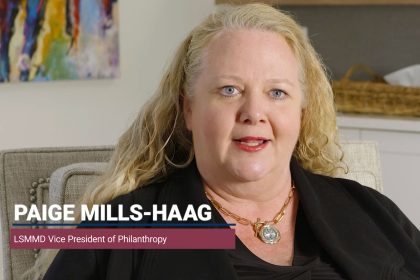

A short video clip has one job: make one point well enough that someone remembers it. That’s it. Most clips that don’t work aren’t badly shot or badly edited. They’re trying to say three things in thirty seconds, so they end up saying nothing.
This is how I cut clips, usually 15 to 45 seconds long, from a longer interview or shoot. You can use the same steps whether you’re working with me, with someone else, or on your own phone.
1. Pick the point before you pick the footage
Write the point down as one sentence before you open the editor. Not a topic, a point.
- Topic: “Our memory care program.”
- Point: “Families can visit any time, and staff know every resident by name.”
If you can’t write it in one sentence, you don’t have a clip yet. You have a few clips, or you have a longer video. Both are fine, but decide which.
2. Find the moment that already says it
The best clips usually come from something someone said naturally, not from a line they read. Go through your interview or footage and look for the moment where a person says your point in their own words. It’s often shorter and plainer than you’d expect.
Good signs you’ve found it:
- It makes sense with no setup. Someone who hasn’t seen anything else would still follow it.
- It sounds like a person talking, not a brochure.
- You’d repeat it to a friend.
If the moment doesn’t exist in your footage, no amount of editing will create it. That’s a note for your next shoot, not a problem to solve with music.
3. Cut everything that isn’t the point
This is the hard part, because the stuff you cut is often good. A nice story, a great line, a second reason that’s also true. If it isn’t your one point, it goes. Save it for another clip.
A few things that almost always come out:
- The warm-up. “So, um, I think what I’d say is…” Start on the first word that matters.
- The second example. One clear example beats two decent ones.
- The wrap-up where the speaker repeats themselves. If the point landed, you don’t need it twice.
If your short video clip is still over 45 seconds after this, look at it again. It’s usually making two points.
4. Get to it in the first few seconds
People decide fast whether to keep watching. Don’t open on a logo, a slow shot of your building or a title card. Open on the person, already saying something interesting, or on a line of text that tells viewers why they should care.
A good test: mute it and watch only the first three seconds. Would you stop scrolling?
5. Caption it
Plenty of people watch with the sound off, especially on social media, in an office or on a phone in a waiting room. Captions mean your point still gets across when the sound doesn’t. Keep them big, readable and on screen long enough to read. Check every word. Auto-captions get names wrong, and they will get yours wrong.
6. End when the point lands
The instinct is to add something at the end: a recap, a logo, a slow fade, a call to action that runs longer than the clip. Keep it short. If you want people to do something, say it in one line, either on screen or in the post that goes with the clip. Then stop.
7. Cut it for where it’s going
Vertical (9:16) for phones, Reels, Shorts and Stories. Square or horizontal for some feeds, websites and email. The point stays the same. The framing changes so nobody’s head gets cut off. If you know where a clip will run before the shoot, you can film for it, which is much easier than fixing it afterward.
A short video clip checklist before you post
- Can I say the point in one sentence?
- Does it make sense to someone who’s seen nothing else?
- Does it start on something worth watching?
- Does it work with the sound off?
- Is it 45 seconds or less?
- Does it stop once the point lands?
If all six are yes, post it.
Why this matters more than it sounds
One clip that makes one point isn’t much on its own. But a shoot day can give you a dozen of them, each making a different point. Post them over a few months and the same audience keeps hearing from you, one clear idea at a time. That beats one long video that people start and don’t finish.
That’s how I build my packages: one day of filming, then a set of clips that each do one job. If you have a message you want people to actually remember and want help turning it into clips, email me at adam@digitalconsultingllc.com. Tell me what you want people to understand, and we’ll work out how many points that really is.
Want this for your organization?
One day of filming gives you 13 videos and three months of content.